
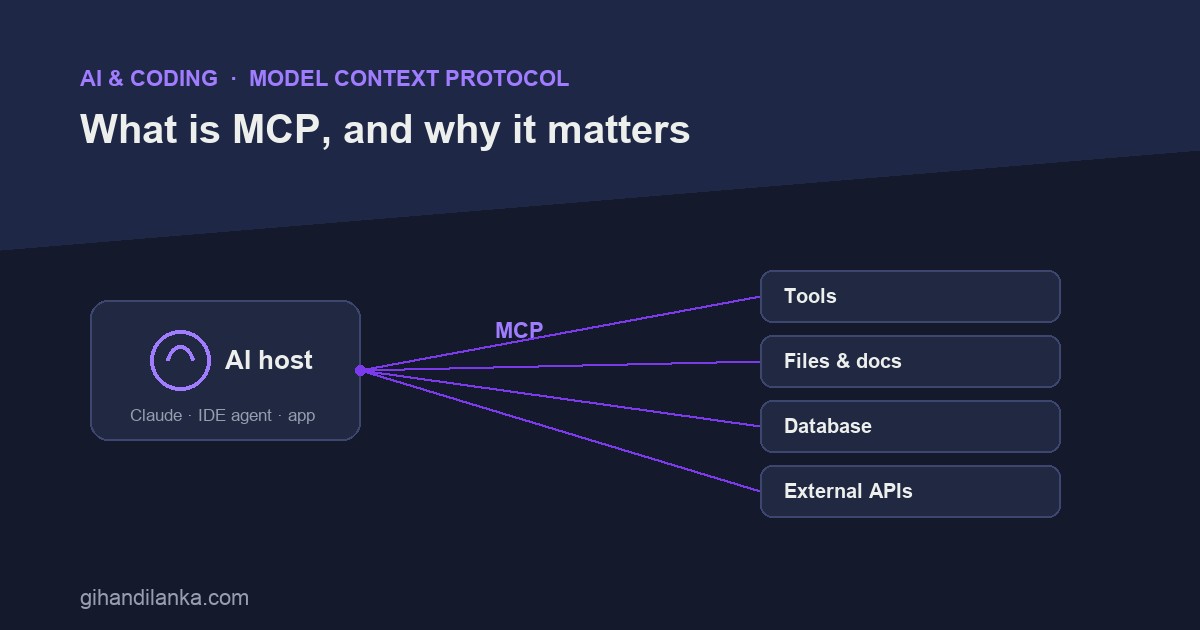
An AI model on its own is a very smart box with no hands. It can reason about your code but can’t read your files, query your database, or call your API — unless you wire it up. Historically, every one of those connections was a custom, one-off integration. Model Context Protocol (MCP) is the standard that fixes that. Think of it as USB-C for AI: one protocol so any AI app can plug into any tool or data source.
The problem MCP solves
Before MCP, connecting an AI assistant to your GitHub, your database, and your internal API meant three bespoke integrations — each with its own glue code, auth, and quirks. Multiply that by every AI app and every tool, and you get an M×N mess: every client reinventing a connection to every service. MCP turns that into M+N: tools expose themselves once, clients speak one protocol, and everything interoperates.
How it works: hosts and servers
MCP has two sides. The host (also called the client) is the AI app — Claude, an IDE agent, a chat tool. The servers are small adapters that expose a capability: a filesystem server, a database server, a GitHub server, your own internal API wrapped as a server. The host connects to any number of these over MCP, and suddenly the model can actually do things — read a file, run a query, fetch a ticket — through a consistent interface.
Servers typically offer three kinds of things: tools (actions the model can invoke, like “create issue”), resources (data it can read, like a file or a record), and prompts (reusable templates). The host discovers what a server offers and lets the model use it, with you in control of what’s allowed.
Why it matters for developers
- Write once, use everywhere. Build an MCP server for your internal tool, and any MCP-compatible AI app can use it — no per-client integration.
- A real ecosystem. Because it’s a shared standard, a growing library of servers already exists (databases, cloud providers, dev tools). You plug in instead of building.
- Your context, not just the model’s training. MCP is how an assistant gets your current data — this repo, this database, today — rather than relying on what it memorized months ago.
- Control stays with you. The host mediates access, so you decide which servers are connected and what they’re permitted to do.
A concrete picture
Say you’re using an AI coding assistant and you connect three MCP servers: your filesystem, your Postgres database, and your issue tracker. Now you can ask, “find the slow query behind issue #412 and propose a fix.” The assistant reads the issue (tracker server), inspects the relevant tables and an EXPLAIN (database server), looks at the code (filesystem server), and drafts a change — all through one protocol, without you building any of those bridges yourself. That’s the shift: from a model that only talks, to one that’s grounded in your actual systems.
The takeaway
MCP isn’t a product or a model — it’s plumbing, and that’s exactly why it matters. By standardizing how AI apps connect to tools and data, it turns a tangle of custom integrations into a plug-and-play ecosystem. If you’re building anything where an AI needs to reach into real systems, MCP is quickly becoming the way you do it. Learn it now; it’s turning into table stakes.