
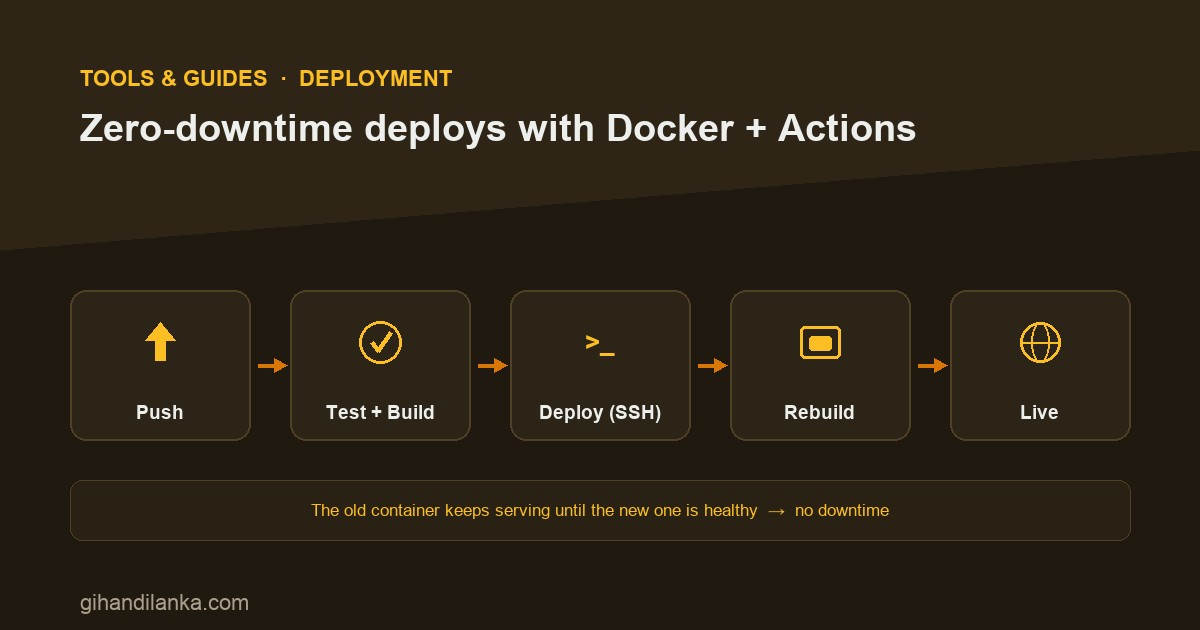
The naive deploy is “SSH in, stop the old container, start the new one.” It works — and it drops every request in the gap between stop and start. On a personal site that’s a shrug; on anything people use, it’s lost sales and errored requests. Here’s a practical pipeline — push to main, test, deploy over SSH, swap containers — that gets you from “visible downtime on every deploy” to “nobody noticed.”
Where the downtime actually comes from
Two things cause deploy downtime. First, building on the critical path — if you stop the app, then build the new image, you’re down for the whole build. Second, the swap gap — the window where the old container is gone and the new one isn’t ready yet. Fix both and the deploy becomes invisible.
Build before you swap
Never take the app down to build. With docker compose up -d --build, Compose builds the new image first and only recreates the container once the image is ready. The old container keeps serving through the entire build. If a build fails, the old container just keeps running — a failed deploy can’t take your site down.
Use health checks so traffic only hits a ready container
A container being “started” doesn’t mean the app inside is ready to serve. A health check tells Docker when it’s actually up, so dependents wait for ready, not just running.
services:
  app:
    build: .
    healthcheck:
      test: ["CMD", "curl", "-f", "http://localhost:3000/health"]
      interval: 5s
      timeout: 3s
      retries: 10
    restart: unless-stopped
Put a reverse proxy in front
This is the piece that makes the public endpoint stable. Your container publishes to localhost; a reverse proxy (Apache, Nginx, or Caddy) sits in front and is what the world actually talks to. During the brief container swap, the proxy is the constant — it holds the public address, terminates TLS, and smooths over the moment the backend blinks. It also means you can deploy the backend without touching DNS or certificates.
The GitHub Actions pipeline
Now wire it together. On every push to main: run the tests, and only if they pass, SSH into the server and deploy. No green tests, no deploy.
name: CI/CD
on:
  push:
    branches: [main]

jobs:
  test:
    runs-on: ubuntu-latest
    steps:
      - uses: actions/checkout@v4
      - run: npm ci && npm test

  deploy:
    needs: test                 # only deploy if tests passed
    runs-on: ubuntu-latest
    steps:
      - uses: appleboy/[email protected]
        with:
          host: ${{ secrets.SERVER_HOST }}
          username: ${{ secrets.SERVER_USER }}
          key: ${{ secrets.SSH_PRIVATE_KEY }}
          script: |
            cd /srv/app
            git fetch origin main
            git reset --hard origin/main
            docker compose up -d --build   # build first, then swap
The server pulls the new code, and docker compose up -d --build does the heavy lifting: build the image, then recreate only the services that changed. Secrets (SSH key, host, user) live in GitHub’s encrypted secrets, never in the repo.
Going from “near-zero” to truly zero
Be honest about this: plain compose up -d recreates a single container with a tiny gap — usually sub-second, and absorbed by the proxy, so most apps never notice. If you need provably zero dropped requests, run two instances behind the proxy and roll one at a time: bring up the new one, wait for its health check, shift traffic, then retire the old one. That’s the same idea Kubernetes rolling updates automate — but you don’t need Kubernetes to do it, just a second replica and a proxy that only routes to healthy backends.
The takeaway
You don’t need fancy infrastructure to deploy without taking your site down. Build before you swap, add a health check so traffic only hits a ready container, put a reverse proxy in front to keep the public endpoint stable, and gate deploys behind passing tests in GitHub Actions. For most apps that’s effectively zero-downtime; when you truly need zero, add a second replica and roll. Either way, pushing to main becomes a non-event — which is exactly what a deploy should be.